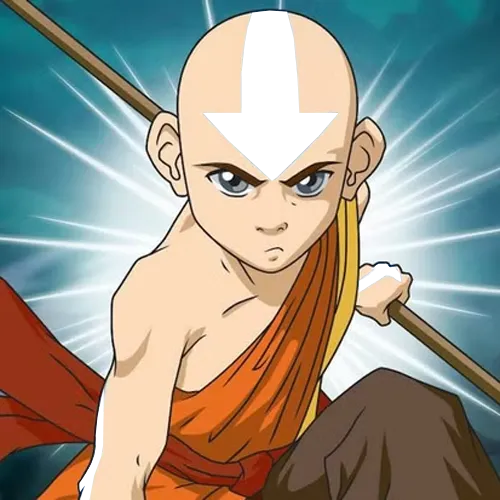
The color, broken down
Four ways to describe one color. Each slider in the game maps to one of these dimensions.
- HEX
#94C0E5
- RGB
- 148, 192, 229
- HSB
- 207°, 35%, 90%
- HSL
- 207°, 61%, 74%
Nearby tones that look right and are wrong
#95B7E5#95CCE5#B1CEE6#7AB5E6#7EA3C2How this color came to be
Aang is the protagonist of Avatar: The Last Airbender, which premiered on Nickelodeon in 2005. His arrow tattoos are the visible marker of an airbending master — only those who complete the Air Nomad training receive them. The arrows trail down the back, along the arms and legs, with a single arrow on the forehead, and they're a soft, almost pastel sky blue.
The hex breaks down to HSB(207°, 35%, 90%). The hue sits a little past pure blue toward cyan, but the dimension that defines this color isn't hue at all — it's the saturation, pulled down to a striking 35%. Brightness stays high at 90%. The result is the color of a clear morning sky just after sunrise: present, recognizable as blue, but never loud. Show creators Bryan Konietzko and Michael DiMartino gave the Air Nomads orange-saffron robes — but the airbending master tattoos, a separate visual cue, were locked to this exact pale sky-blue, and Aang's are the cleanest version of that ceremonial blue on screen.
Most players miss this color by reaching for a saturated ink-blue. The instinct is "tattoos = ink = bold," and the slider goes to 70–80% saturation. Aang's tattoos live at less than half of that. The fix is mechanical: keep brightness high, drag saturation well past where it feels right, and let the hue land anywhere from 200° to 215°. Hue is the forgiving slider here; saturation is the unforgiving one.
How to match it from memory
Calibrated to this character's specific hex, not generic color advice.
- Brightness: ~90% — keep it near the top.
- Saturation: ~35% — push it way down from where instinct says.
- Hue: ~205–215° — pure-blue zone, a slight cyan lean is fine.
- Common mistake: reaching for a saturated ink-blue when the answer is a pale sky-blue.